Smoothie King
- 4.9
- Rating
- 1.00M
- Installs
- Free
- Price

 Analysis by App-foxy
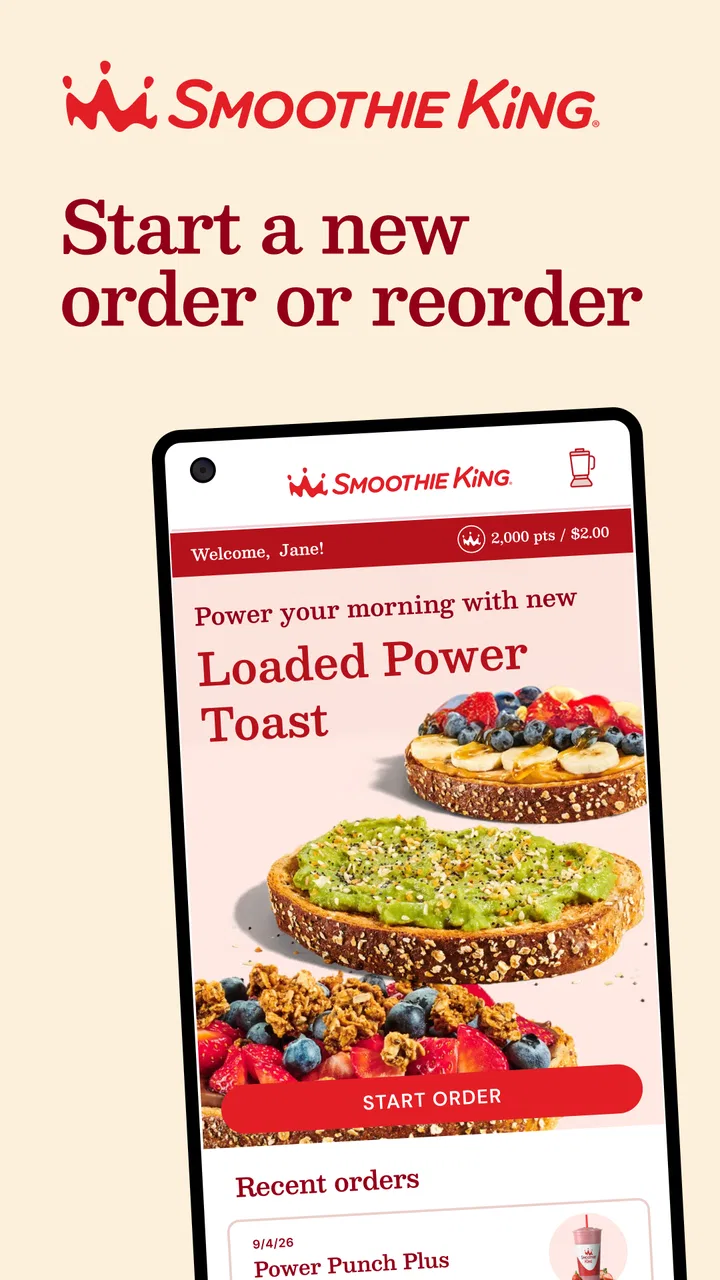
When I want a smoothie without standing in line, I usually prefer an app that gets me from craving to checkout with as little thinking as possible. Smoothie King is built around that exact moment. It is a free Food & Drink app from Smoothie King Franchises, Inc., and its main practical purpose is to help me order ahead, arrange delivery, and browse the menu in an interactive way. I found it most useful when I already knew roughly what I wanted but still needed to check the available choices, customize my order, and choose the most convenient way to receive it.
The app has been around since 2011, which gives it the feel of an established ordering tool rather than a brand-new experiment. Its current version is 5.10.0, and it works on devices running iOS 9 or later. The age rating is Everyone, so the interface is approachable for a broad range of users. With an average score of 4.8 from around thirteen thousand ratings and more than a million installs, it is clearly being used as a regular companion to Smoothie King visits rather than only as a one-time download.
Getting from the first screen to a useful order
I’ll focus on the transition from simply browsing to preparing an order that fits the day. In my experience, taking a moment to settle the location and how I plan to receive the drink makes the menu easier to use, especially when I’m ordering for more than myself. That practical starting point sets up the next section’s closer look at what to expect before placing an order.
You May Also Like

 Blood Strike: 2.5 Anniversary
Blood Strike’s Loadouts Turn Every Drop Into a Tactical Gamble
A close look at Blood Strike’s custom loadouts: how fast access to signature weapons reshapes its battle royale rhythm, rewards preparation, and narrows the gap between fights.

 Pandora - Music & Podcasts
Pandora’s Music Is Easy to Start, but Harder to Recover
Pandora’s strength is its low-effort path from a seed to a station. Its weak spot is how much confidence it asks you to place in connection, setup, and quiet recovery.

 8 Ball Pool
 Is Built on Rivalries, Rematches, and Routine
A close look at the rivalries, rematches, shared routines, and unanswered safety questions that turn a quick pool match into a persistent mobile community.

 Samsung Music
’s Quiet Strength Is Playing What You Already Own
Its reach comes less from spectacle than from dependable access to a personal library. That simplicity is both the app’s strongest retention engine and its ceiling.

 AccuWeather: Weather Radar
AccuWeather Review: A Quick, Clear Forecast for Everyday Decisions
For everyday plans, the best forecast is the one you can understand quickly. AccuWeather makes rain timing, radar, and local conditions easy to act on, with a few trade-offs.

 Hill Climb Racing
Why Hill Climb Racing Still Turns Crashes Into One More Run
A tiny car, a bumpy hill and one more upgrade: Hill Climb Racing keeps resurfacing because its simple chaos makes every near-miss feel personal.
More From Our News Desk



What I expect before placing an order
The first thing to understand is that this is not a general nutrition tracker, a recipe collection, or a social food app. It is a focused ordering and menu-browsing tool for Smoothie King. That focus is a strength because I am not forced to navigate unrelated content before reaching the menu. If I am deciding between a fruit-based drink, a more filling option, or something suited to a particular routine, the interactive menu gives me a more useful starting point than simply walking into a store and scanning the board while people wait behind me.
I would install it for three main reasons: to save time during a busy stop, to arrange delivery when visiting a shop is inconvenient, or to look through choices before committing to an order. The order-ahead function is especially useful for a workday lunch break or a morning when I am trying to leave the house on schedule. I can make the decision before arriving instead of using the counter as my planning space.
The experience is also better for people who dislike making quick food decisions in public. I can browse at home, pause, reconsider, and return to the menu without feeling rushed. That small change matters when the menu contains more choices than I remember. It also makes the app practical for ordering for another person, because I can check the options calmly rather than relying on memory.
There is a trade-off, though. The app is most valuable when I am buying from Smoothie King specifically. If I want to compare several nearby smoothie shops, discover independent juice bars, or find the cheapest option across different services, a broader delivery or restaurant app may be more useful. Smoothie King keeps the experience centered on its own menu and ordering process, which is convenient for loyal customers but less helpful for open-ended local discovery.
First setup without overthinking it
My advice for a first-time user is to begin with a simple goal: find a location and prepare one order. There is no need to explore every menu area immediately. I would open the app, move toward the ordering flow, and pay attention to whether I want to pick up the drink or have it delivered. Making that choice early keeps the rest of the process clearer because the available ordering path depends on what I am trying to do.
Before building a complicated order, I would also check the selected store. This is one of those small steps that prevents avoidable frustration. A location that is convenient for pickup may not be the right destination for delivery, and choosing a store first helps me understand where the order is going. If I am ordering while traveling or near a workplace, I would be particularly careful here rather than assuming the app has selected the location I had in mind.
The interactive menu is worth browsing before I add anything. I found that it works best as a decision aid, not merely as a list of names. I can use it to compare the kinds of drinks available and then narrow down my choice. For a first order, I would avoid adding several unfamiliar items at once. One drink lets me learn how the app presents selections, customization, and checkout without making the process harder to diagnose if something feels unclear.
Another useful habit is to decide whether I am ordering for immediate consumption or planning ahead. A pickup order made for a short break has different requirements from a delivery order placed for a group at home. Thinking about timing before I start browsing helps me choose sensibly instead of treating every menu item as an isolated purchase.
The first successful action: completing a straightforward order
The first meaningful success is not simply opening the menu; it is reaching a confirmed order that matches the store and the way I want to receive it. I would start with a familiar smoothie, select the desired location, review the order carefully, and continue through checkout. Keeping the first attempt simple gives me a clean understanding of the workflow and makes it easier to repeat later.
For pickup, the biggest benefit is removing the ordering conversation from the busiest part of the visit. I can make the choices in advance and arrive with a clear purpose. In a realistic weekday example, I might place an order before leaving the office, walk to the selected location during my break, and spend that time collecting the drink rather than deciding what to buy. The app does not eliminate the need to pay attention to timing, but it can make the visit feel more deliberate and less rushed.
Delivery serves a different situation. If I am working from home or sharing drinks with people who do not want to travel, the app gives me a direct route from menu browsing to delivery ordering. I would review the destination and the complete basket before submitting, especially when ordering for several people. A quick final check is worthwhile because a small mistake in one item is more annoying when the order is already on its way.
The most reliable first-order strategy is to verify the store, the receiving method, and the basket in that order. That sequence sounds obvious, but it prevents the three mistakes I am most likely to make when ordering quickly: selecting the wrong location, choosing pickup when I meant delivery, or overlooking an item detail before checkout.
Once the first order works, the app becomes more useful because I know where the important controls live. I can return to the menu with less hesitation, use the interactive browsing experience to try something different, and make better decisions before I am hungry or pressed for time. The first successful order is therefore less about discovering a hidden trick and more about establishing a repeatable routine.
Where new users may become confused
The distinction between browsing and ordering is the first possible point of confusion. The menu can invite me to explore, but exploration does not necessarily mean I have committed to a purchase. I would treat menu browsing as the planning stage and deliberately move into the order flow only when I know the selected store and receiving method. That mental separation makes the app easier to understand.
Pickup and delivery can also feel similar at first because both begin with choosing food from the same menu. They are not interchangeable in practice. Pickup is better when I am already going near a store and want to reduce waiting. Delivery is better when convenience at home or work matters more than collecting the order myself. I would not choose between them only after filling the basket; I would decide early so I can judge the order in the right context.
The interactive menu may encourage experimentation, but I would not assume that every attractive option suits every occasion. A drink that sounds ideal for a quick refresh may not be what I want after a workout, during a commute, or as a shared delivery order. The app helps me inspect the menu, but it cannot replace my own judgment about appetite, timing, and whether I need something light or more substantial.
Another point worth remembering is that an ordering app does not guarantee a frictionless visit in every circumstance. Store availability, preparation timing, and delivery conditions can affect the experience outside the screen. I would use the app to organize my request, not as a reason to stop checking the practical details of the visit. If I am on a very tight schedule, I would leave a little breathing room rather than assuming the digital order makes timing exact.
People sometimes also expect an app like this to be a complete replacement for in-person questions. I would not rely on it for every situation. If I have a detailed dietary concern, need clarification about an ingredient, or want advice that depends on a specific store, speaking with staff may still be the better choice. The app is excellent at presenting choices and moving an order forward, but personal guidance is a different job.
How it compares with the usual alternatives
Compared with ordering at the counter, Smoothie King gives me more time to think and reduces the need to repeat my choices in a noisy or busy environment. The counter still has an advantage when I want to ask a question, change my mind through conversation, or receive human guidance. For a familiar order, however, the app is more efficient because it lets me prepare before I arrive.
Compared with a general delivery marketplace, the dedicated app feels more direct. I am not sorting through unrelated restaurants or switching between different brand pages. That makes it a better fit for someone who already knows they want Smoothie King. The broader marketplace wins when I care about comparing restaurants, delivery options, or cuisines in one place. I would choose the dedicated app for a predictable repeat purchase and a general service for wider choice.
Compared with using a mobile browser, a dedicated app is more natural for repeated visits. The menu and ordering path are designed around the brand rather than being one small section of a larger website. Still, a browser can be preferable for someone who orders only once, has limited device storage, or does not want another app on the phone. The free price removes one barrier, but convenience is personal: an app is only helpful if I expect to use it again.
Small habits that make repeat orders easier
I would create a personal routine around the app rather than opening it only when I am already late. For example, I might browse the menu before leaving for work, decide whether pickup or delivery makes sense, and place the order when I have enough time to review it. That approach turns the app into a planning tool instead of an emergency shortcut.
A second useful habit is to separate menu curiosity from the order I actually need. I can explore unfamiliar choices when I have time, but use a known option when the order is tied to a short break or an important schedule. This is a practical trade-off: experimentation is enjoyable, while predictability is often more valuable when timing matters.
When ordering for more than one person, I would build the basket slowly and review each item before checkout. Group orders are where a small selection error becomes most noticeable. The interactive menu helps me show people the available choices, but I would still confirm the final basket with everyone before submitting it. That is more reliable than passing the phone around after the order has already been placed.
I also think the app works best when I treat the store selection as part of the order, not as a minor setting. If my day changes from office to home, I would revisit that choice instead of assuming the previous location remains appropriate. This is an easy detail to overlook in a repeat workflow, especially when the app makes returning customers feel comfortable enough to move quickly.
Who should use it and who should skip it
I would recommend Smoothie King to regular customers, people who often order the same type of drink, and anyone who values a shorter pickup process. It is also a sensible choice for users who prefer to browse privately before deciding or who need delivery without navigating a broad restaurant marketplace. The free download and Everyone age rating make it easy to try without a financial commitment to the app itself.
I would be less enthusiastic for someone who rarely visits Smoothie King and mainly wants to compare nearby businesses. That person may get more value from a local search or multi-restaurant service. I would also suggest skipping the app if the main reason for ordering is detailed personal advice from staff, since a digital menu cannot fully replace a conversation about an individual need.
Its strong user response is encouraging, with a 4.8 average and roughly four thousand two hundred written reviews. Those figures suggest that the core experience is working well for many people, but they should not be treated as a guarantee that every order will be perfect. My own view is that the app succeeds because it handles a narrow task clearly: browsing Smoothie King choices and turning that decision into pickup or delivery.
My next step after the first order
After completing one straightforward order, I would use the app for the situations where it offers a real advantage: ordering before a busy break, arranging delivery from home, or checking the menu before visiting a store. I would not force myself to use it for every purchase. If I am already at the counter and need to ask a question, in-person ordering may be faster. If I am comparing several restaurants, a broader service may be the better tool.
For me, the best way to judge the app is to try one familiar smoothie first, confirm that the selected location and receiving method suit my day, and then decide whether the saved routine is worth repeating. That first attempt is low risk because the app is free, and it quickly reveals whether its ordering flow fits my habits.
Overall, I see Smoothie King as a practical companion rather than an app I would open for entertainment. It makes the most sense when I already want something from this particular chain and would rather make the decision ahead of time. The menu browsing is useful, pickup can reduce unnecessary waiting, and delivery expands the situations in which ordering is convenient. Its limitations are equally clear: it is brand-specific, it cannot answer every personal question, and digital convenience does not remove the need to check the practical details of an order.
If your goal is a smoother path from choosing a Smoothie King drink to receiving it, this app is worth trying. I would install it, begin with one uncomplicated order, and use that experience to decide whether it deserves a regular place on my phone. With over one million installs and a mature version history, it feels like a dependable option for repeat customers, especially when saving a few minutes and avoiding rushed decisions matters more than comparing every possible alternative.
FAQs for Smoothie King
01What features does the Smoothie King app offer?
The Smoothie King app provides a user-friendly interface to easily browse and purchase a wide variety of smoothies. It includes features such as location-based store finder, a rewards program for accumulating points with every purchase, personalized recommendations based on dietary preferences, and the ability to order ahead for quick pick-up.
02How does the rewards program work in the Smoothie King app?
The Smoothie King app rewards program lets you earn points with every smoothie purchase. For every dollar spent, you receive points that can be redeemed for discounts on future purchases. The app also offers special promotions and exclusive offers to help you maximize your rewards.
03Is the Smoothie King app compatible with both Android and iOS devices?
Yes, the Smoothie King app is available for download on both Android and iOS platforms. It is designed to function seamlessly across different devices, ensuring that users have a consistent and smooth experience, whether on a smartphone or tablet.
04Can I customize my smoothie orders through the app?
Absolutely! The Smoothie King app allows users to customize their smoothies according to their dietary needs and preferences. You can adjust ingredients, select add-ons, and specify any dietary restrictions to create a smoothie that's perfect for you. This feature ensures you get exactly what you want with every order.
05Does the Smoothie King app offer nutritional information for their smoothies?
Yes, the app provides detailed nutritional information for each smoothie, including calorie count, protein content, and other key nutritional metrics. This feature is particularly useful for health-conscious users who want to make informed decisions about their dietary intake while enjoying their favorite smoothies.
Pros
- Intuitive user interface design
- Wide variety of smoothie options
- Customizable ingredient choices
- Nutritional info provided for each smoothie
- Offers loyalty rewards program
Cons
- Limited payment options available
- Occasional in-app glitches
- Requires constant internet connection
- High calorie content in some smoothies
- Some features locked behind login

Smoothie King
Gallery